
VS Code
Author Atomize YAML in VS Code
Development docs · main. Your installed version may differ.
Keep shared Templates recognizable as Atomize YAML Files so teammates get the same authoring tools when they open them.
Opt your file into Atomize
Section titled “Opt your file into Atomize”The full authoring surface is enabled for Durable Atomize YAML Opt-In files:
.atomize.yaml.atomize.yml- YAML files whose first line is
# atomize-yaml
Durable opt-in enables CodeLens actions, save-time validation, diagnostics, snippets, and schema association.
Session Atomize YAML Opt-In provides schema-backed hovers and completions when the extension recognizes a YAML document by structure, without changing its YAML language ID or writing a marker into the file. It does not enable CodeLens or save-time Atomize validation. Prefer a durable marker for shared Templates. GitHub Actions workflow files are excluded from content detection to avoid treating their YAML as Atomize content.
For example, name a shared file feature.atomize.yaml, or put this modeline on the very first line of an otherwise named YAML file:
# atomize-yamlformatVersion: "1.0"name: "Feature Breakdown"Keep the editor language as YAML. The legacy atomize-yaml language ID is not required for schema support. A Mixin can have schema support and snippets, but cannot be run or resolved on its own; add it to a Template before previewing.
Use the editor’s authoring tools
Section titled “Use the editor’s authoring tools”Atomize YAML authoring includes:
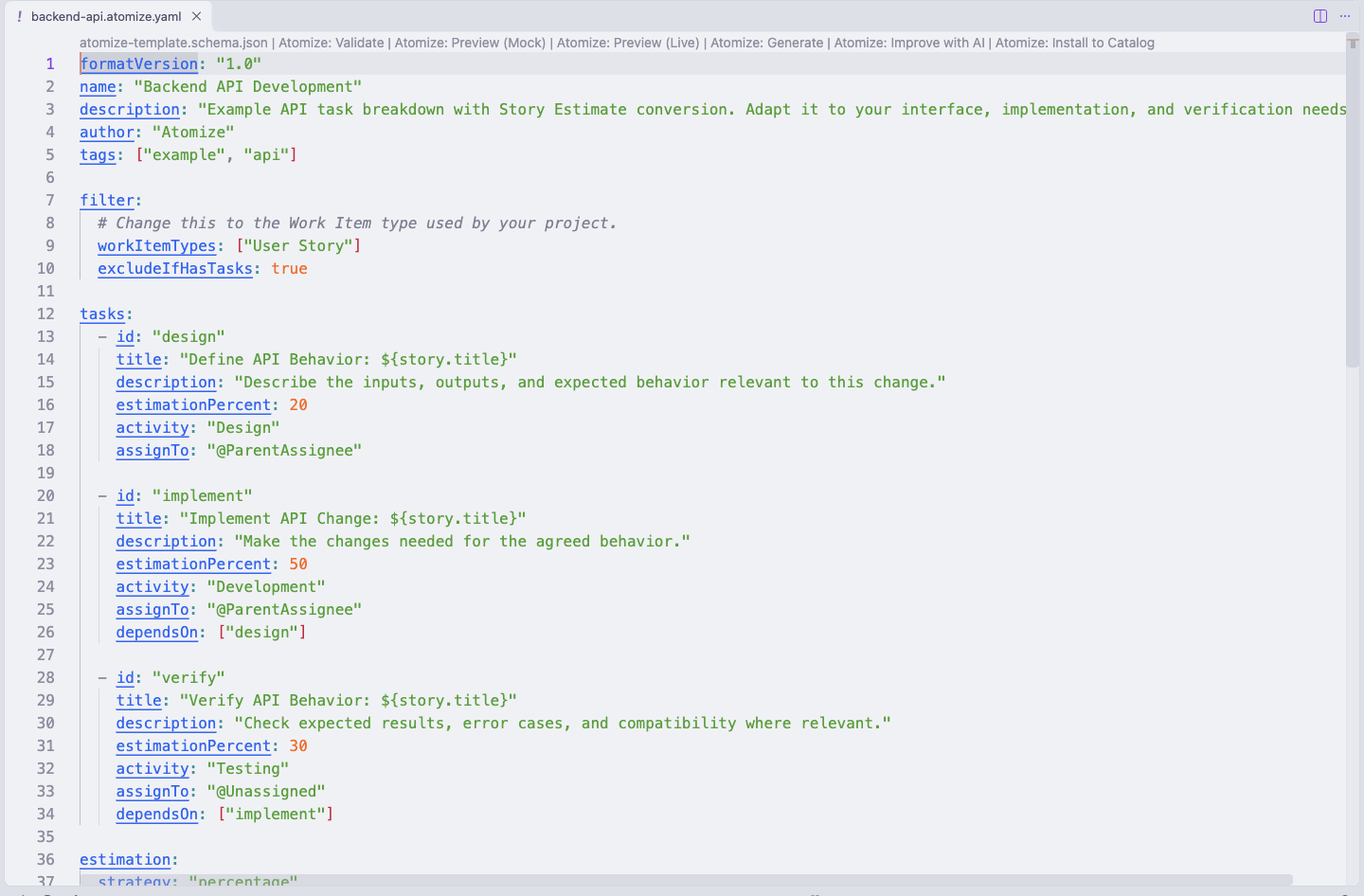
- schema hovers and completions
- snippets for common Template and Mixin structures (type
atm-to list them) - save-time diagnostics for durable Atomize YAML files
- CodeLens actions for Validate, Preview, and Generate
- quick fixes for supported validation warnings
Snippets
Section titled “Snippets”| Prefix | Inserts |
|---|---|
atm-template, atm-mixin, atm-extends | Template, Mixin and inheriting-Template scaffolds |
atm-task, atm-task-condition | A task, or a task created only when the Story has a tag |
atm-task-repeat | A task created several times as identical copies (repeat) |
atm-filter, atm-filter-ado, atm-filter-saved-query, atm-filter-tags | Filter blocks. The saved-query snippet declares workItemTypes, which describes what the query returns and doesn't filter |
atm-estimation | Strategy, rounding and normalize |
atm-estimation-factor, atm-estimation-table | A Story Estimate conversion by factor (points to hours), or by table (T-shirt sizes, with optional multipliers) |
atm-estimation-target | taskType and targetFields for customised processes |
atm-estimation-percent-condition | A conditional estimationPercent rule |
atm-condition, atm-condition-field, atm-condition-number, atm-condition-custom | Condition clauses on tags, built-in text fields, numbers (estimation, priority) or custom fields, each offering only the operators its field supports |
atm-condition-all, atm-condition-any | Compound AND / OR conditions |
atm-validation, atm-custom-fields | Validation rules and task custom fields |
Quick Fixes
Section titled “Quick Fixes”Quick fixes appear on validation warnings that have a safe automatic fix:
- Add id field derived from task title, for a task that has dependencies or is depended on but has no
id - Remove conflicting structured filter fields, which a
savedQueryignores (workItemTypesis kept, because it declares the query's types) - Strip newlines from single-line field value
- Rename minimumTaskPoints to minimumTaskEstimate
- Remove deprecated minimumTaskPoints, when
minimumTaskEstimateis also set
Validation runs on saved file content. If you explicitly validate a dirty document, the extension asks you to save first.
Check the result
Section titled “Check the result”Run Offline Validation, then Mock Preview. For inheritance or Mixins, inspect the Resolved Template before editing the source.